
Welcome to Tijarah Support Center
How to Create Seller Account on Tijarah
Table of Contents
Step 1: Access the Tijarah Website #
- Open your preferred browser (Chrome or Safari).
- Go to https://tijarahprd.wpengine.com.

Screenshot: Browser window with website loaded and the URL highlighted.
Step 2: Log In or Register #
- Click on the “Log In / Register” link at the top-right corner of the page.

Screenshot: Highlighted the “Log In / Register” button on the top right corner.
Step 3: Select Seller Account #
- On the “Register an account” page, choose the “I am a vendor” option.
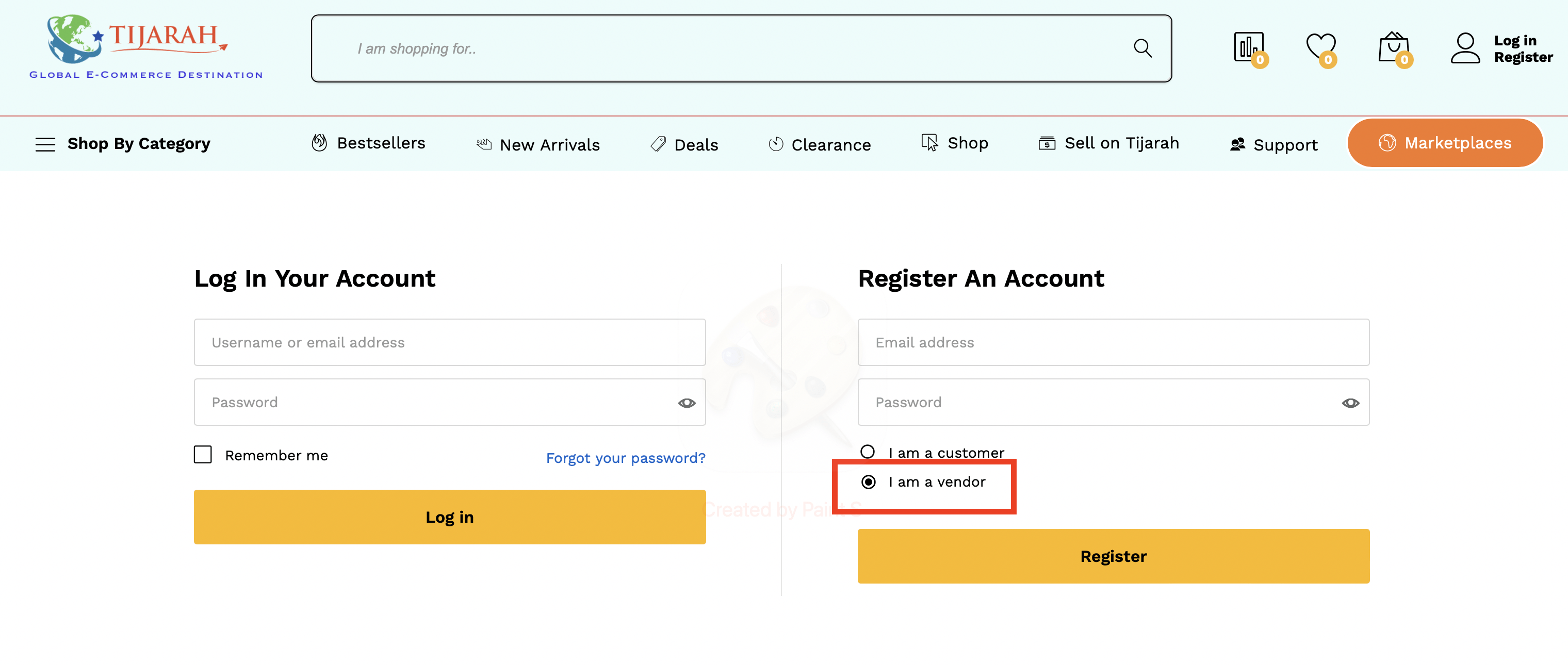
Screenshot: Display the registration page with the “I am a vendor” option clearly highlighted.
Step 4: Fill in Your Information #
- Email Address: Enter a valid email address that will be used for communication and account verification.
- Password: We recommend creating a strong password that meets the following criteria:
-
- At least 12 characters long.
- Use a mix of upper and lower case letters, numbers, and symbols (e.g., ! ” ? @ $ % ^ &)
- First Name: Enter your first name.
- Last Name: Enter your last name.
- Shop Name: Choose a unique shop name. The system will automatically check if the name is available.
- Phone Number: Provide your best contact number (preferably a mobile number). This will be used for account-related inquiries and SMS notifications.
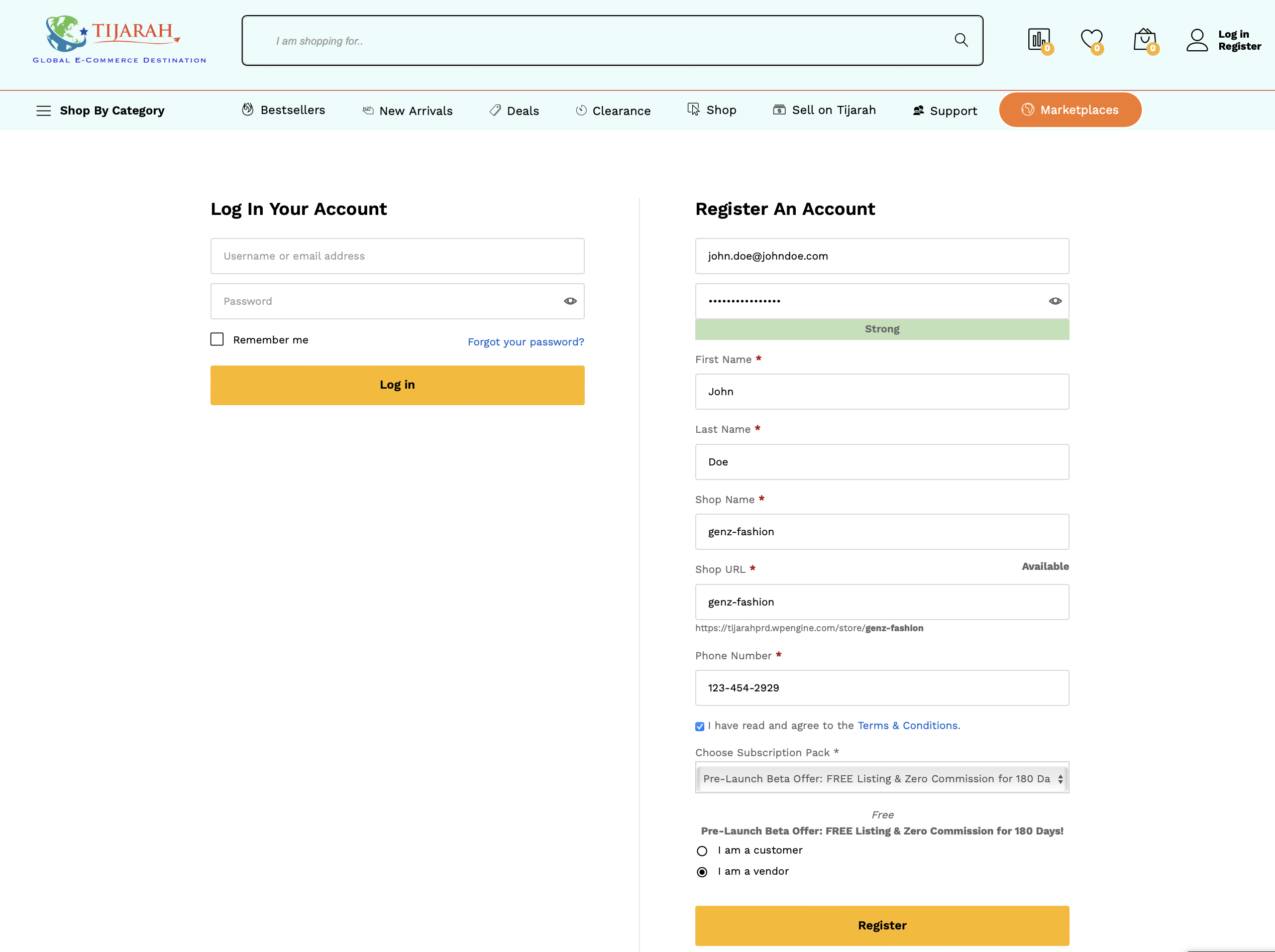
Screenshot: Enter Seller Details
Step 5: Verify Your Email #
- Check your email inbox and click the verification link to activate your account.
- Account Verification Process
Outline the verification procedure required to confirm seller identity and business authenticity. - Profile Setup and Configuration
Instructions on setting up your seller profile, including business details, logo, and contact information.
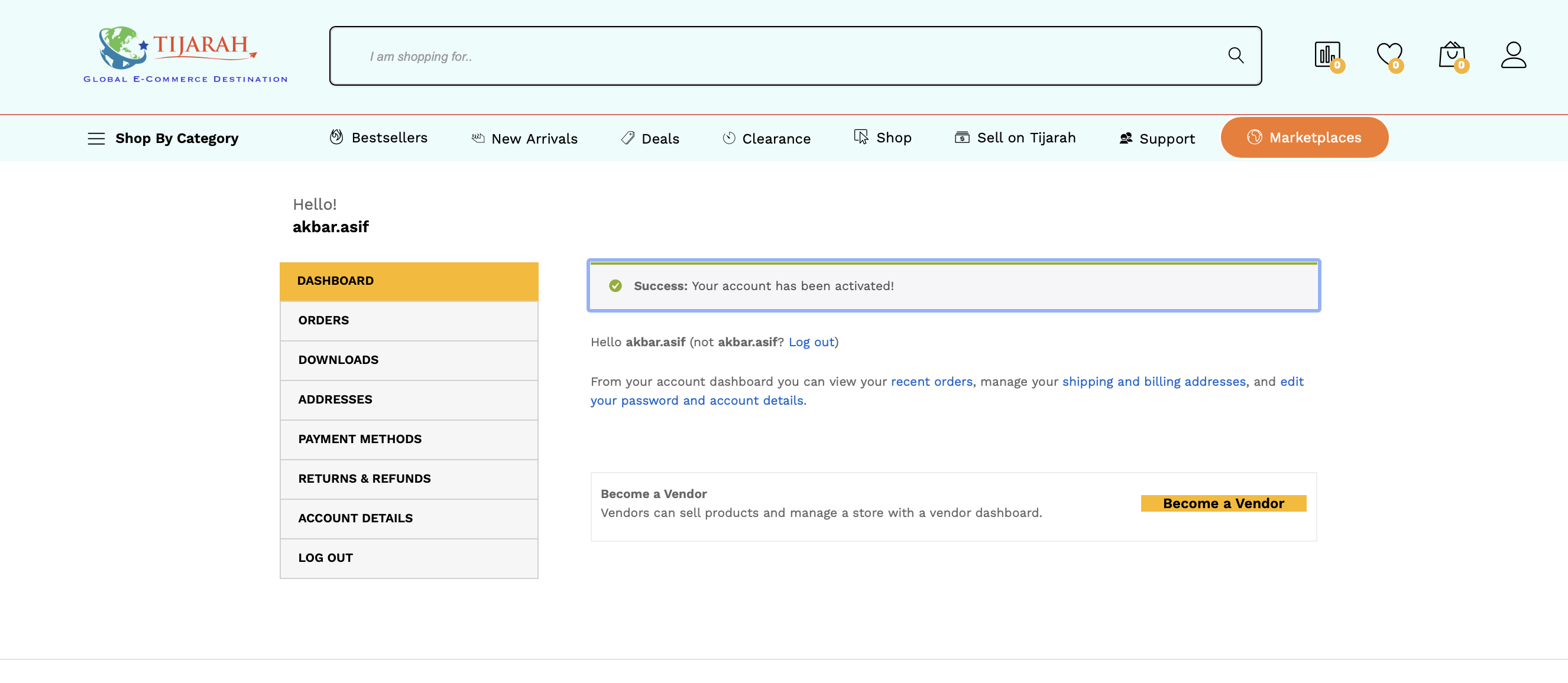
Screenshot: Login once the account is verified.
 English
  Arabic